Product
Feb 11, 2026
Schedules, Automation, and Proactive Agents
Our team released Schedules in Caddie AI - enabling agents to proactively query your data and send you summaries via email!

Introducing Agent Schedules
Our team released Schedules and an updated Automations Dashboard! With this release agents go from being reactive to being proactive. Combined with any of 600+ automated connectors, agents now help you keep tabs on the information you care about… News feeds, business metrics, customers, or project health… it's up to you.
Because Schedules builds on top of our multi agent system. Scheduled agent queries have access to all the same data they would if you were interacting with them via the chat interface. Set them up as a single "all knowing" agent with access to all data sources or individual ones for separate stakeholders.
Here is how it works…
You can now create schedules for agents. This allows you to set a question and frequency and the agent will send you an email with the response. Automated connectors keep your agents context up-to-date - schedules keep users up to date. To setup a schedule, you give it name, description, choose your agent, frequency and give it prompt. Schedules can be set to run daily or weekly.
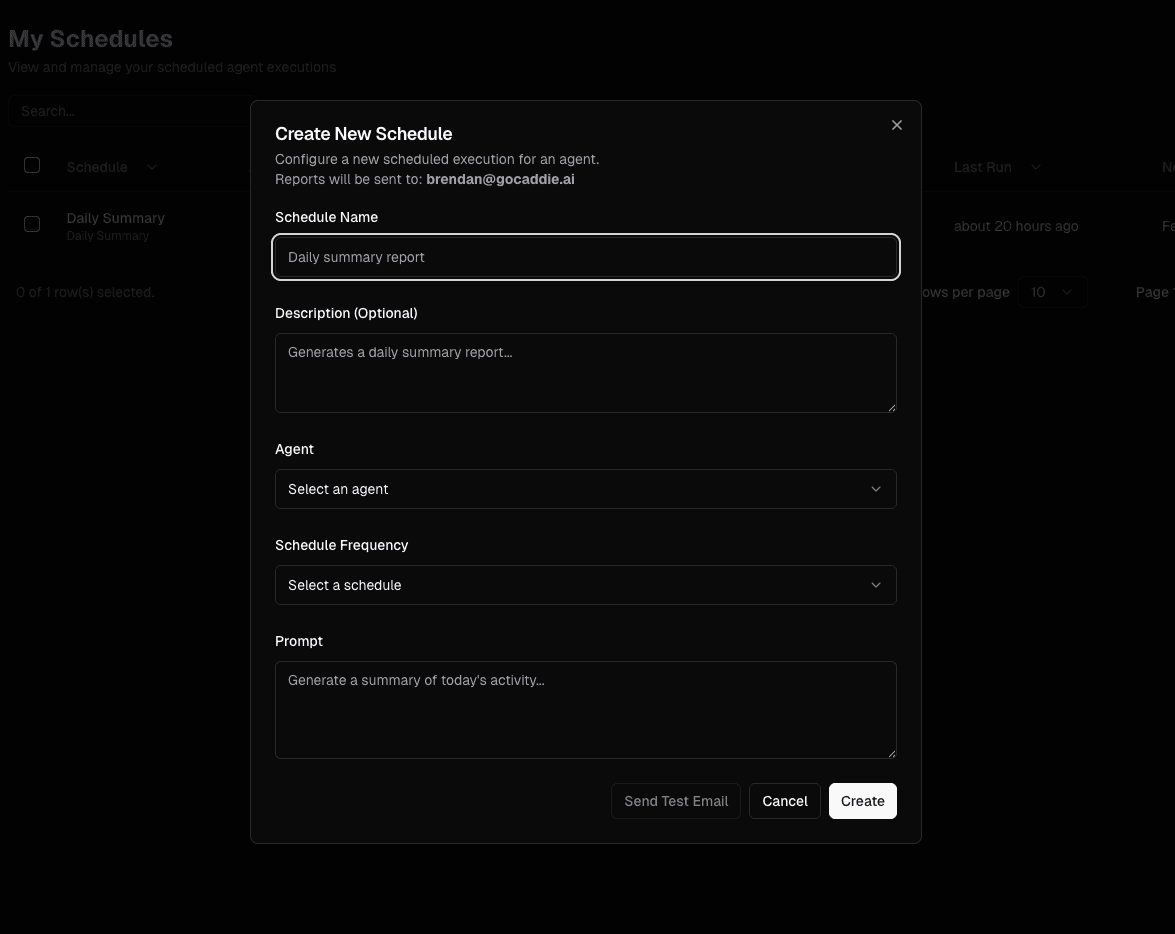
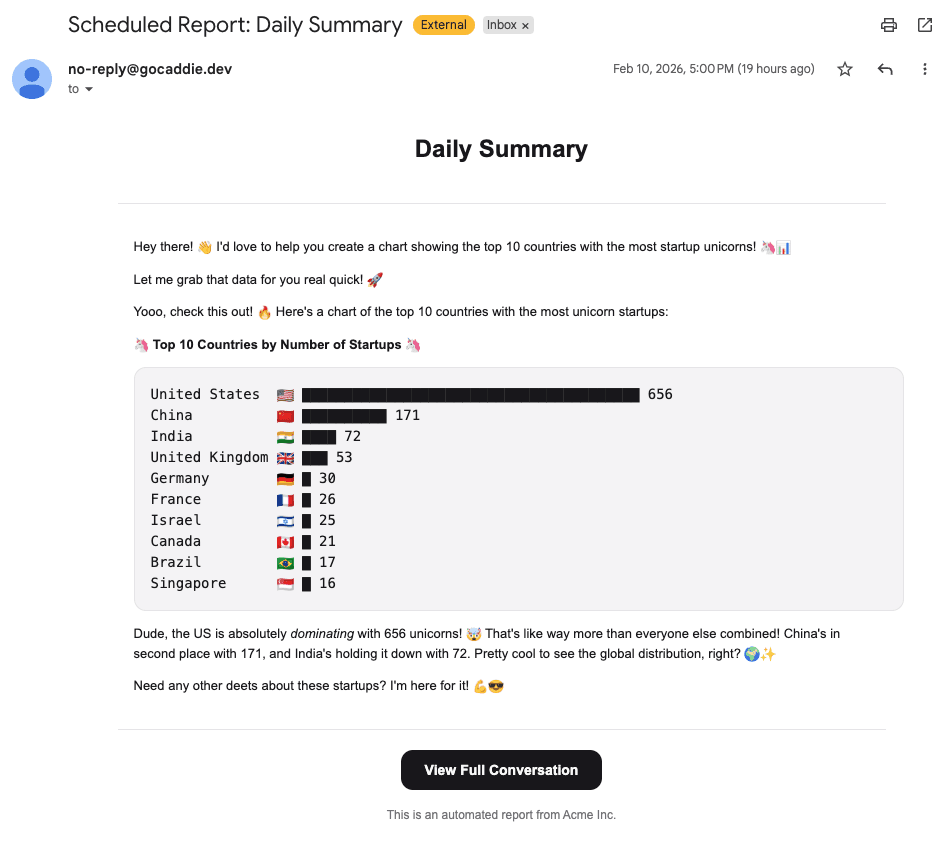
The agent's will send you the response via email according to the frequency selected. If you'd like to follow up on something, you can continue the chat by selecting "View Full Conversation".
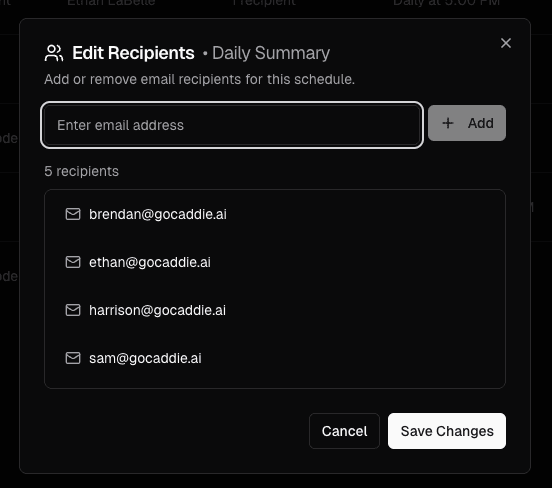
Administrators can set scheduled agent queries for other users. This is helpful to keep everyone on the same page with the metrics they should be focusing on. Users can choose to "unsubscribe" from scheduled emails via the new schedules tab.
Schedules is an "opt-in" feature. It can be enabled via the organization settings tab.
Updated Automation Dashboard
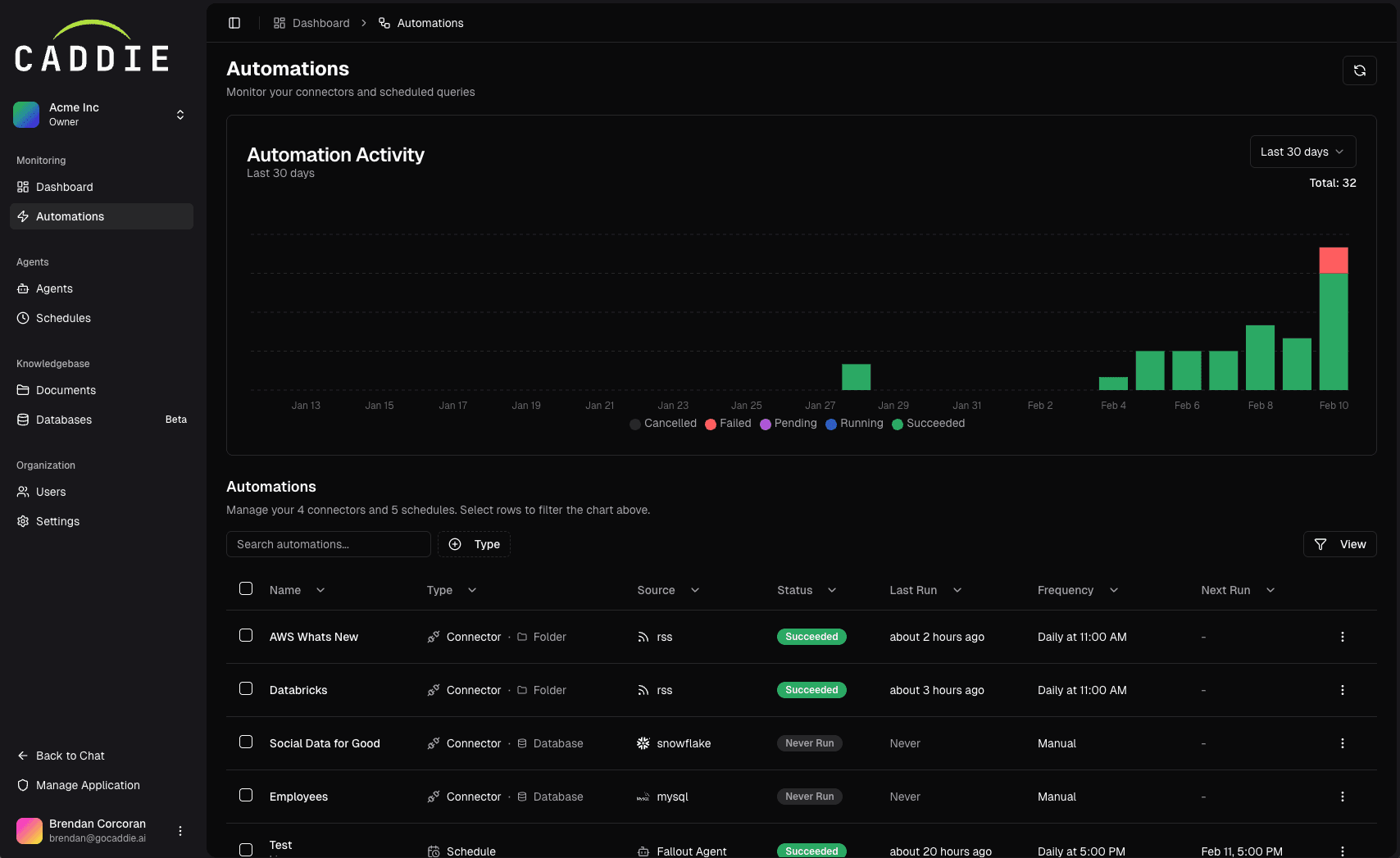
The updated Automation Dashboard (formally connectors) now enables administrators to be able to monitor connector jobs and automated schedules from a single pane of glass.
Want to learn more?
Book a demo with us and we'll personally walk you through the new features. We think you'll them.